
Visible access to withdrawal
Add the function through a button, menu link, dedicated page or custom trigger within the store.
Directive (EU) 2023/2673 compliance
Easy EU Withdrawal Button adds a clear function to your store so customers can exercise their right of withdrawal online, receive an acknowledgement and leave a documented request.
No complex returns platform. Just the flow needed to receive, review and document withdrawal requests from Shopify.
Available for Shopify. Quick installation and guided setup.
What changes
Directive (EU) 2023/2673 amends Directive 2011/83/EU and establishes, among other obligations, that when a contract can be concluded online, consumers must also be able to withdraw through a clearly identified online function, with final confirmation and acknowledgement on a durable medium.
Regulatory compliance
The app focuses on what matters: offering visible access, receiving the declaration, confirming the customer’s intention and keeping an organised record for the store.
Add the function through a button, menu link, dedicated page or custom trigger within the store.
The customer identifies the order, selects products when applicable and reviews the request before confirming it.
The request is confirmed in two steps and an acknowledgement is sent to the customer together with the corresponding notification to the store.
Each request is collected in the panel so the team can review the case with order and traceability.
How it works
The goal is that any buyer can submit a request without friction and the merchant receives it in a structured way.
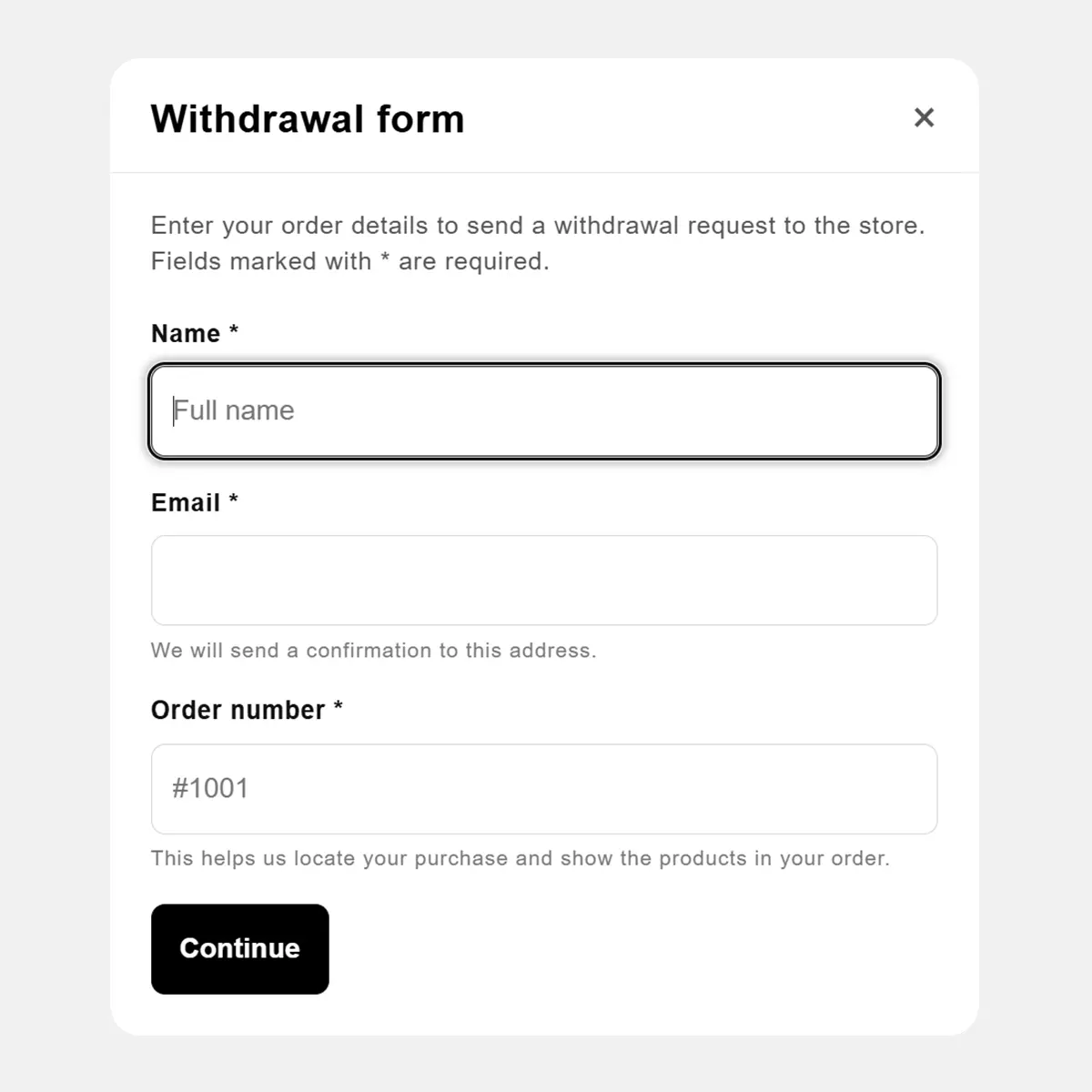
They can do it from a button, a link, a specific page or a trigger configured in the store.
The app tries to locate the order. If it cannot find it, the store can receive the request as unverified.
They can submit withdrawal for the order or for specific products, depending on the case and the available configuration.
Before submitting it, they review a summary and confirm their intention with a second step.
The customer receives the acknowledgement and the merchant can review the request from the app panel.
Free plan
Free includes access to the form, the public flow, automatic emails, the basic panel and standard languages. There is no request limit.
Publish access to withdrawal where it fits best in your store: visible block, menu link, information page or custom trigger.
The customer can submit the request in a popup or from a dedicated withdrawal page if you prefer a permanent URL.
If the order is found, the request is linked to it. If not, it can be registered as unverified for manual review.
Transactional emails to document the received request and notify the responsible team.
View requests, status, linked order and add internal notes, also on the free plan.
English, German, Spanish, French, Italian, Dutch and Portuguese with standard texts included.
Pro plan
Pro is designed for stores that want a more polished experience, texts adapted to their brand and additional tools inside the Shopify back office.
Customise the popup and emails in the included languages to match your tone and store conditions.
Adjust the public form presentation and remove EasyWithdrawal branding for a more integrated experience.
Check from the order detail whether there is an open request before preparing, closing or reviewing the case.
Add the withdrawal action from the customer’s order and show the request status in their account.
When the order is refunded in Shopify, the request is automatically synchronised in the app to keep the case file updated.
Record decisions and closures in greater detail so the team can work in an organised way.
App screenshots
The popup section uses a square format. The rest of the screenshots are prepared in 4:3 to show the panel, detail and customisers.
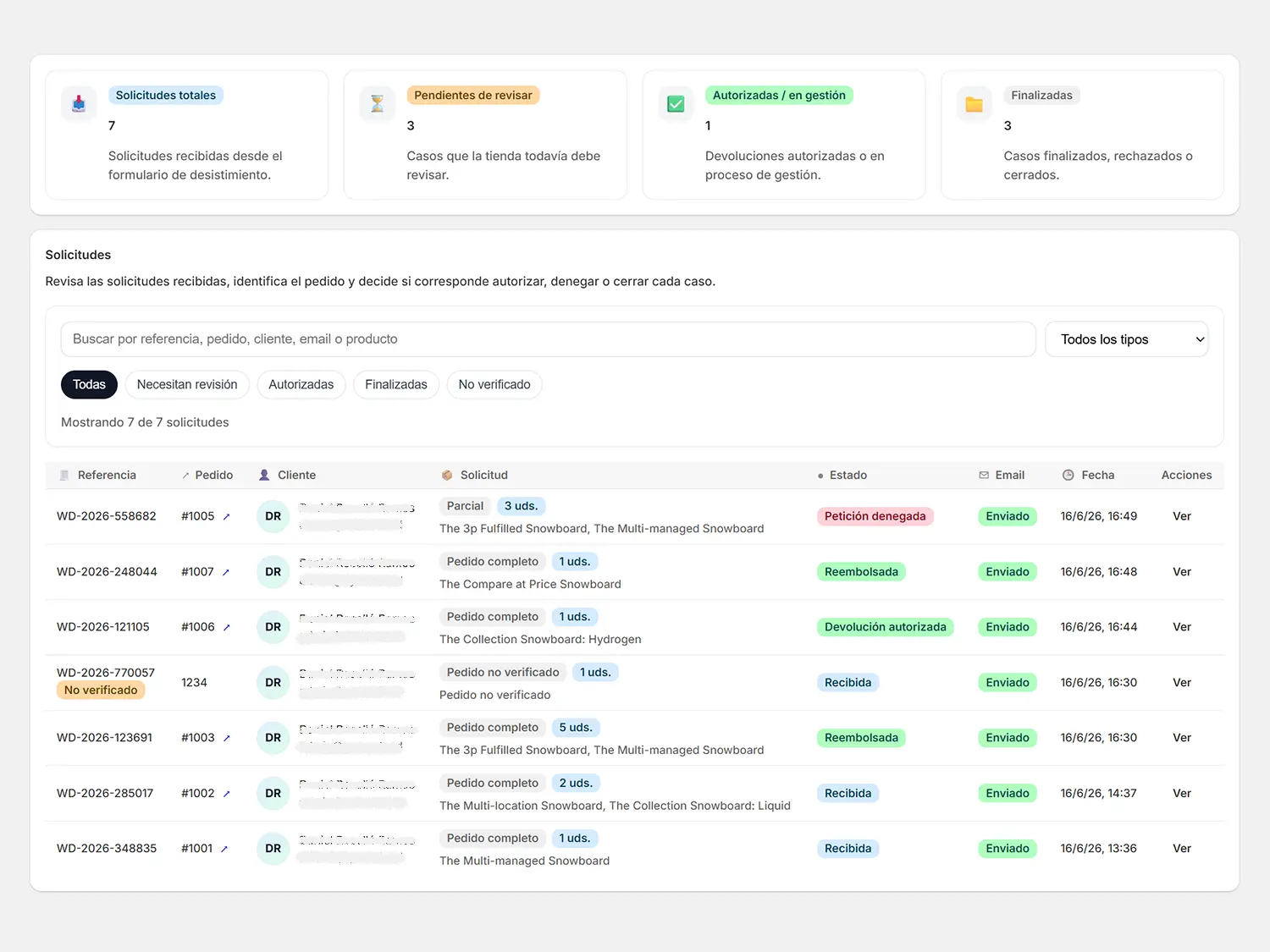
View for reviewing received requests, status, order, customer and date.
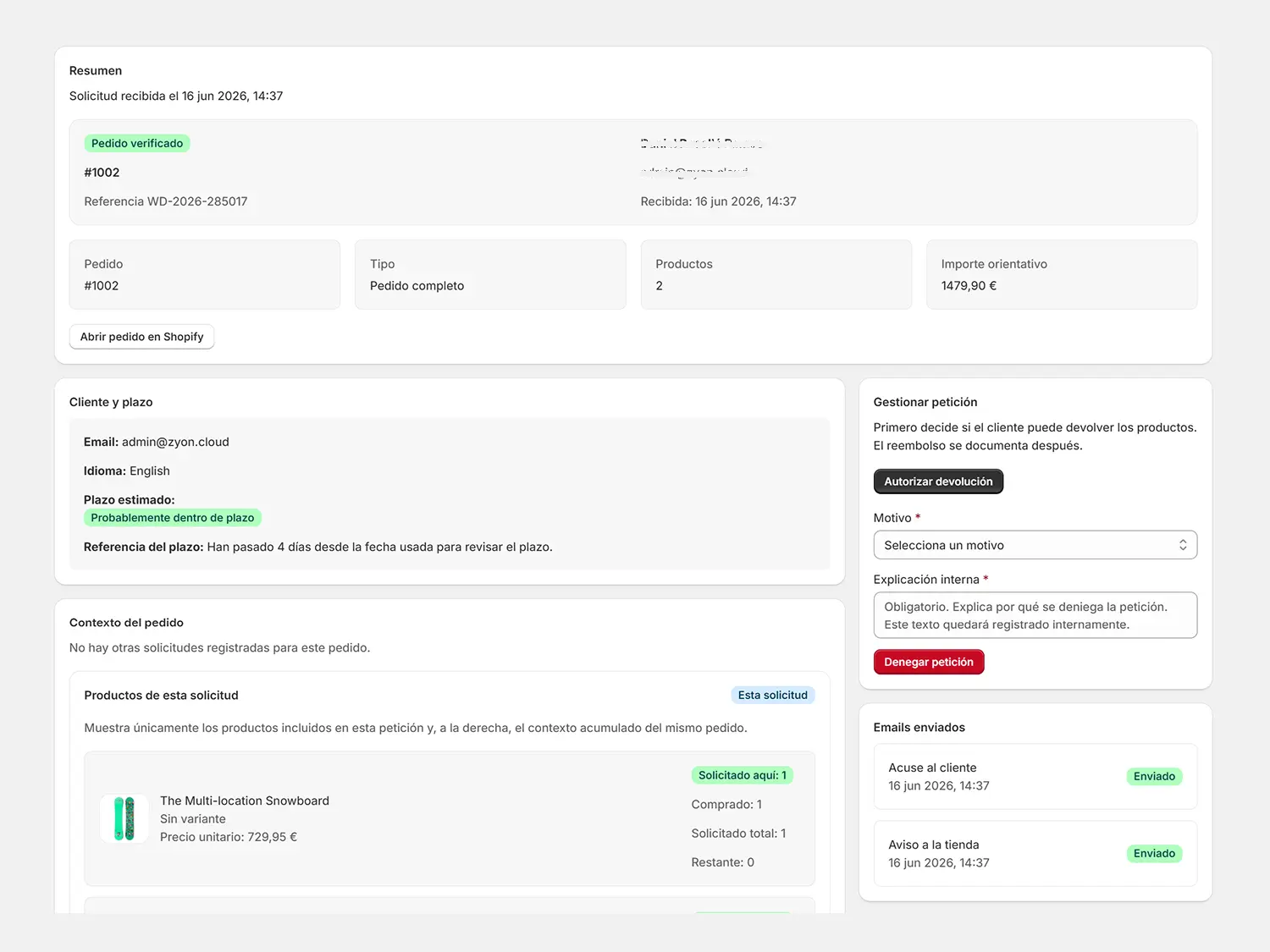
Order information, included products, emails sent and internal notes.
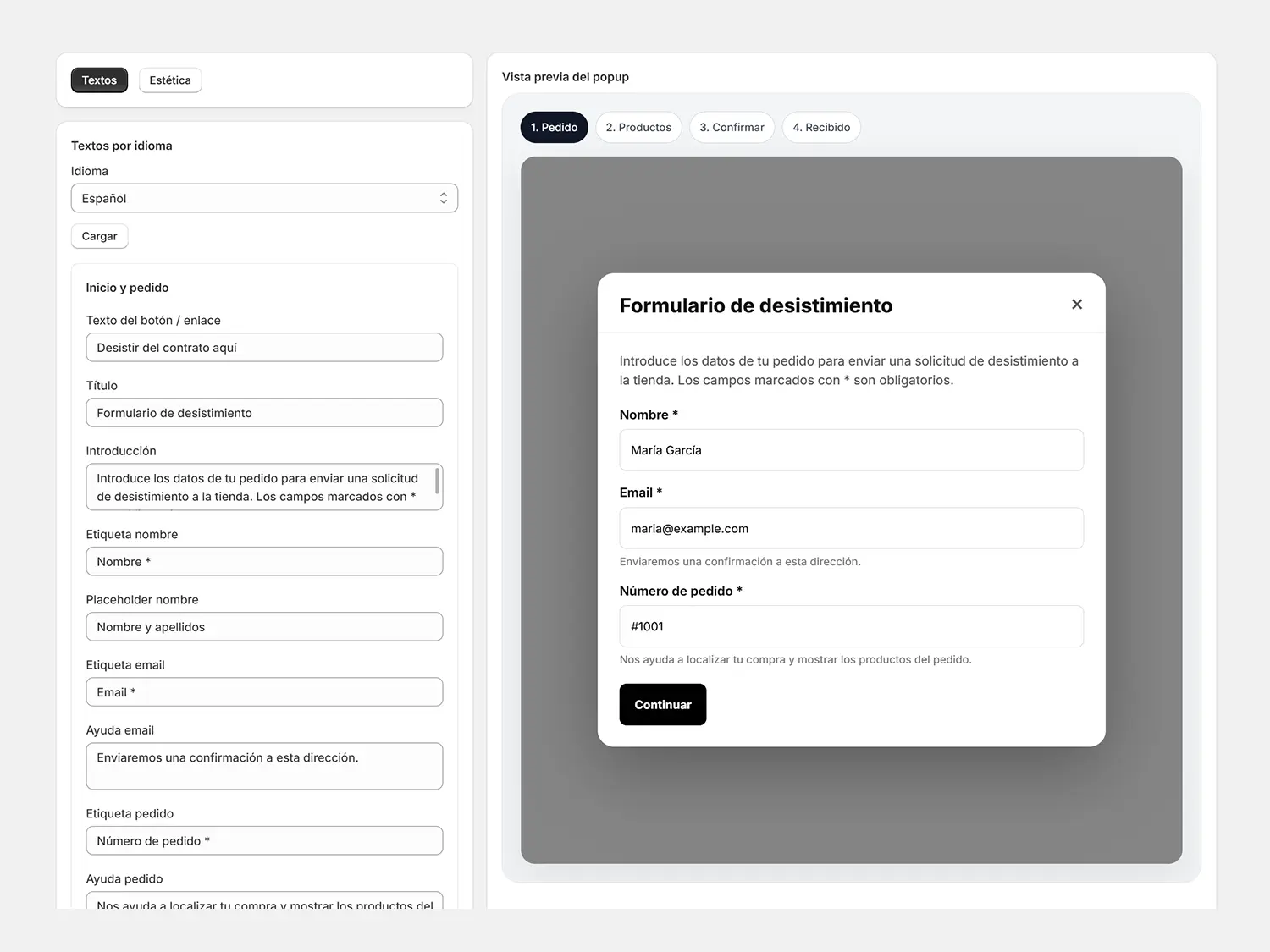
Settings for texts, appearance and the public form experience.
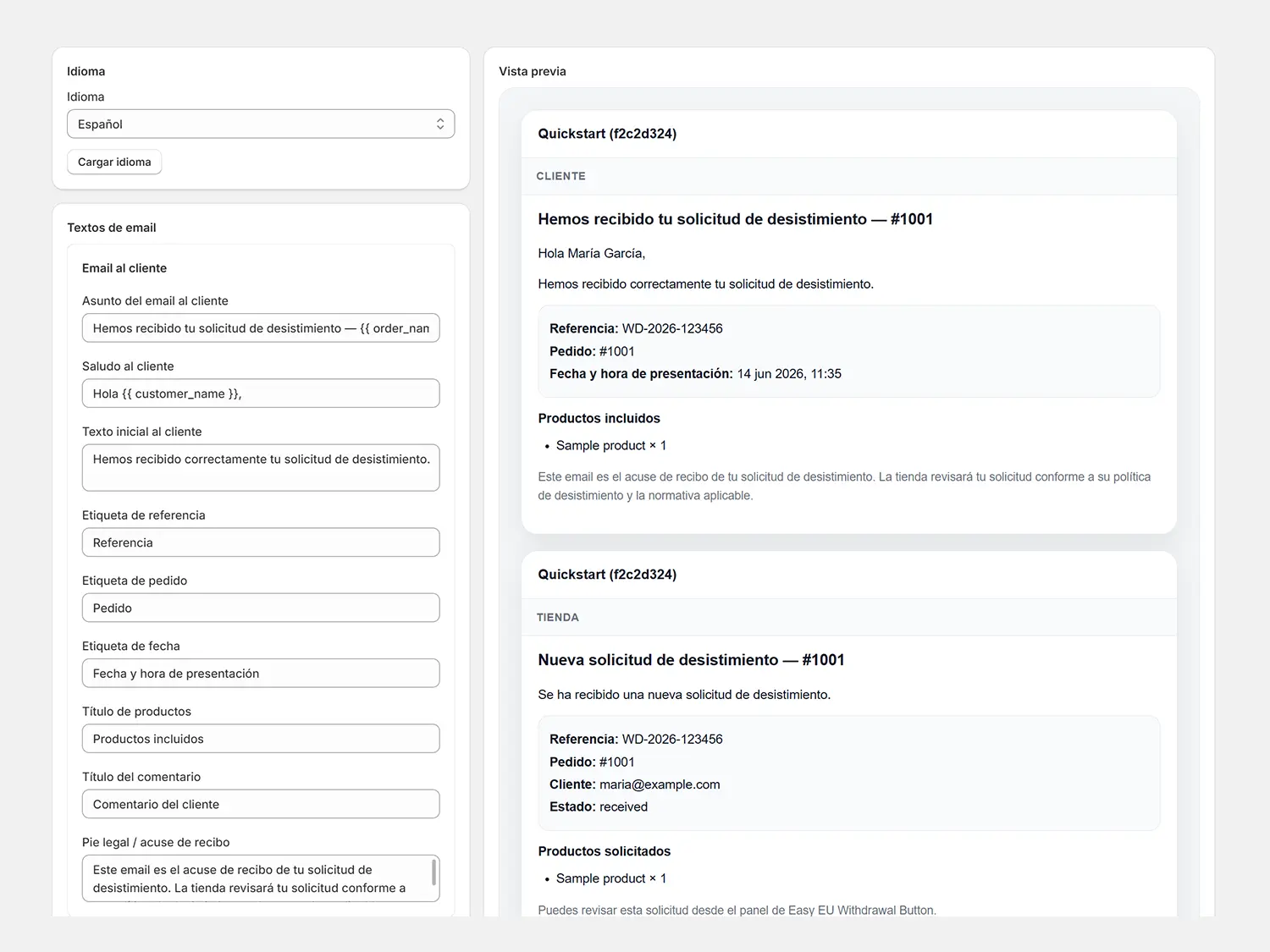
Communication texts for customer and store, editable by language in Pro.
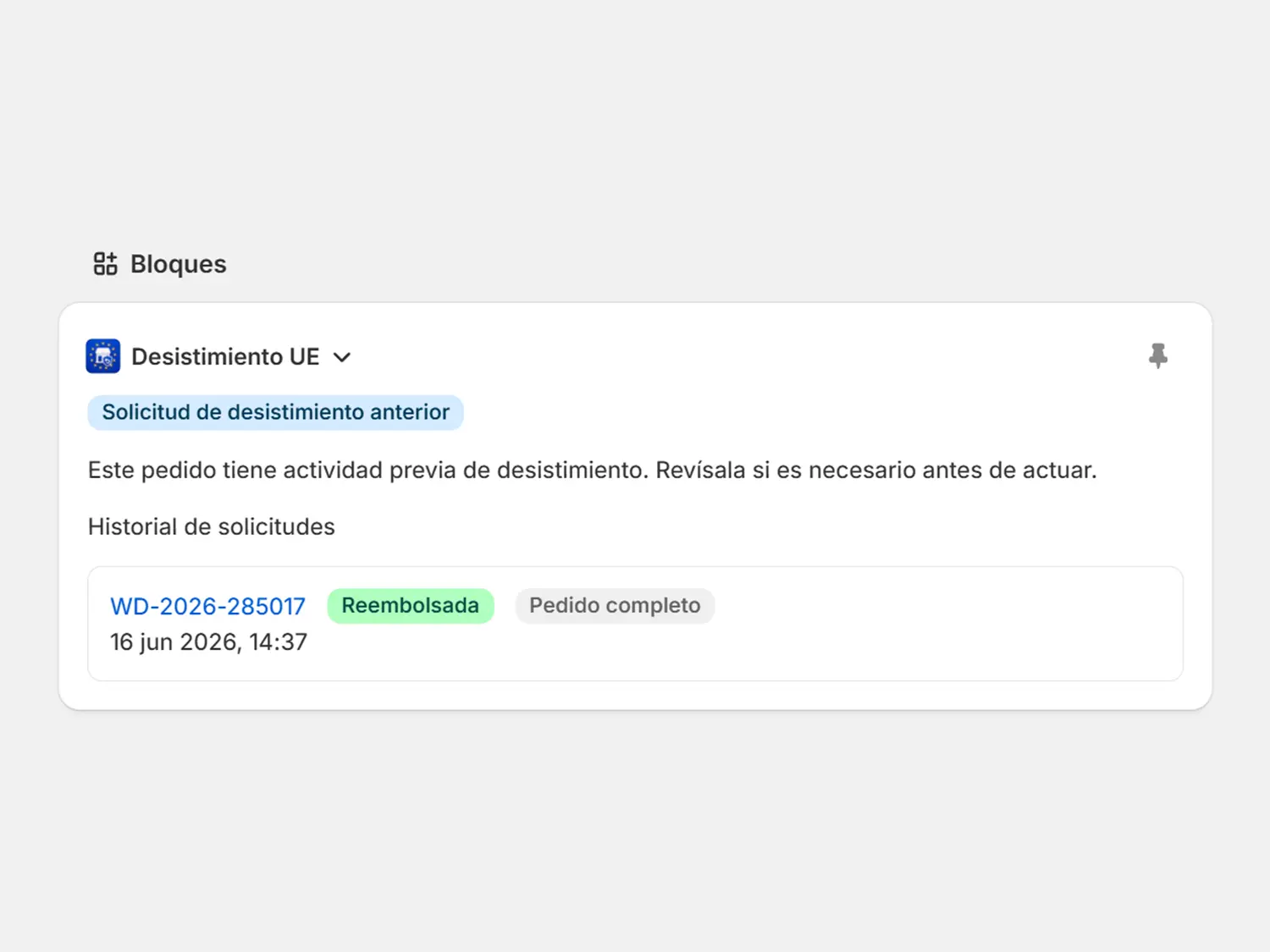
Notice inside the order detail to know whether there is an open request.
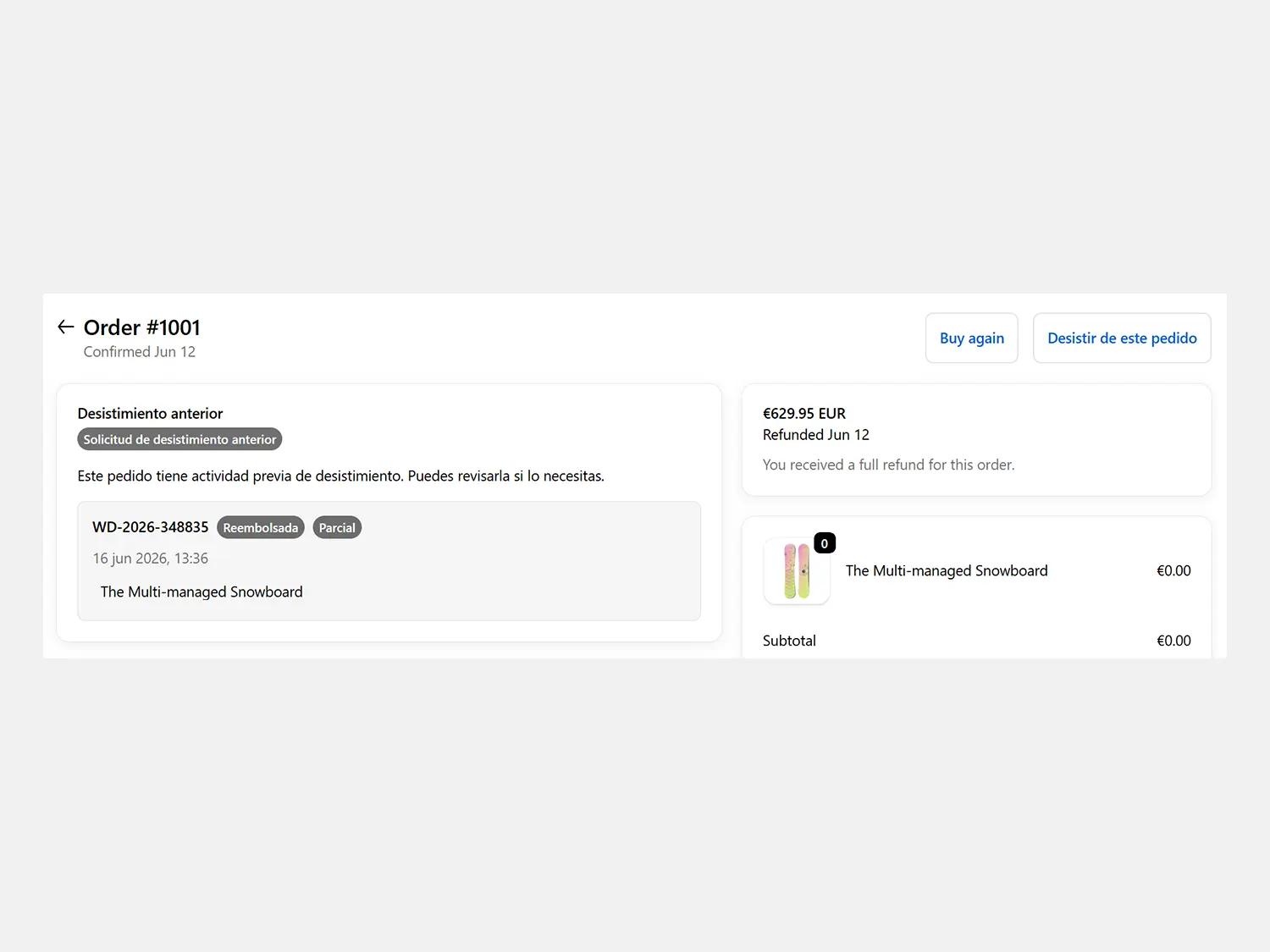
Withdrawal action and request status from the customer’s order.
Plans
Unlimited requests. The move to Pro is justified by customisation, branding and review tools inside the back office.
To activate the withdrawal function and start receiving online requests.
For stores that want a more polished branded experience and more operational context.
Or $29.90 / year
Included features
Access to the form is included in all plans. Pro focuses on customisation, order back office and customer accounts.
What customers need to exercise withdrawal in a simple way.
| Feature | Free | Pro |
|---|---|---|
|
Custom button, link or trigger
Add access to the form from a block, menu link or custom trigger.
|
Included | Included |
|
Public withdrawal popup
The customer can locate the order and submit the request from the store.
|
Included | Included |
|
Dedicated page form
Create a specific withdrawal page if the store prefers it.
|
Included | Included |
|
Requests without verified order
If the order is not found, the request can be received as unverified.
|
Included | Included |
|
Acknowledgement to customer and store notice
Transactional emails to document the received request.
|
Included | Included |
|
Request panel
List, detail and statuses to review each request.
|
Basic | Advanced |
Control over texts, emails and visual presentation.
| Feature | Free | Pro |
|---|---|---|
|
Popup texts
Adapt the public form content by language.
|
Standard texts | Editable by language |
|
Email texts
Customise subject and body of the emails for customer and store.
|
Standard texts | Editable by language |
|
Popup appearance
Adjust colours, borders, buttons and general public form style.
|
Standard | Customisable |
|
EasyWithdrawal branding
In Pro you can hide the app brand in the public experience.
|
With branding | No branding |
Tools to review requests with more context and less manual work.
| Feature | Free | Pro |
|---|---|---|
|
Internal notes
Add review notes to document the follow-up of each request.
|
Included | Included |
|
Block in admin orders
Shows a notice inside the order detail to detect open requests.
|
— | Included |
|
Action in Customer Account
Adds withdrawal access from the customer’s order and shows the status in their account.
|
— | Included |
|
Synchronisation when refunding in Shopify
Automatically updates the request when the order is refunded in Shopify.
|
— | Included |
|
Advanced resolutions
Document decisions and request closures with more operational detail.
|
Basic | Advanced |
Included languages
The public flow is available in the current app languages. Free uses standard texts; in Pro you can customise them by language.
Write to us and tell us which market you need to cover. We can assess new languages according to demand.
Request languageFrequently asked questions
The app helps implement an online withdrawal function aligned with Directive (EU) 2023/2673, which amends Directive 2011/83/EU. It does not replace a legal review of your store conditions.
No. The app does not limit the number of requests received. Free lets you use the essential flow and Pro adds customisation and advanced tools.
Yes. Access to the form through a button, link or custom trigger is included in all plans.
Pro adds text and email customisation by language, visual popup customisation, branding removal, admin order block, action and status in the customer account, automatic synchronisation when refunding in Shopify and advanced resolutions.
In Pro, the request is automatically synchronised when the order is refunded in Shopify, so the status and case file remain aligned.
The store can receive the request marked as unverified to review it manually where appropriate.
No. It is a technology tool that supports compliance. Each merchant should review its terms, exceptions and legal policy with its advisers if needed.
Ready before it becomes mandatory
Start with the free plan and improve the experience with Pro whenever you want brand customisation and more operational context.
Install for free →